Pre‑orders with fewer tickets and less admin.
Sold-out variants flip to pre-order with your ship date. Orders wait in Shopify until the stock lands.
- Ship dates everywhere, so fewer “where’s my order?” emails
- An oversell limit per variant, so you never sell stock you can’t ship
- Orders held in Shopify, released oldest first when stock lands
Every pre-order is a normal Shopify order, paid in full at your usual checkout.
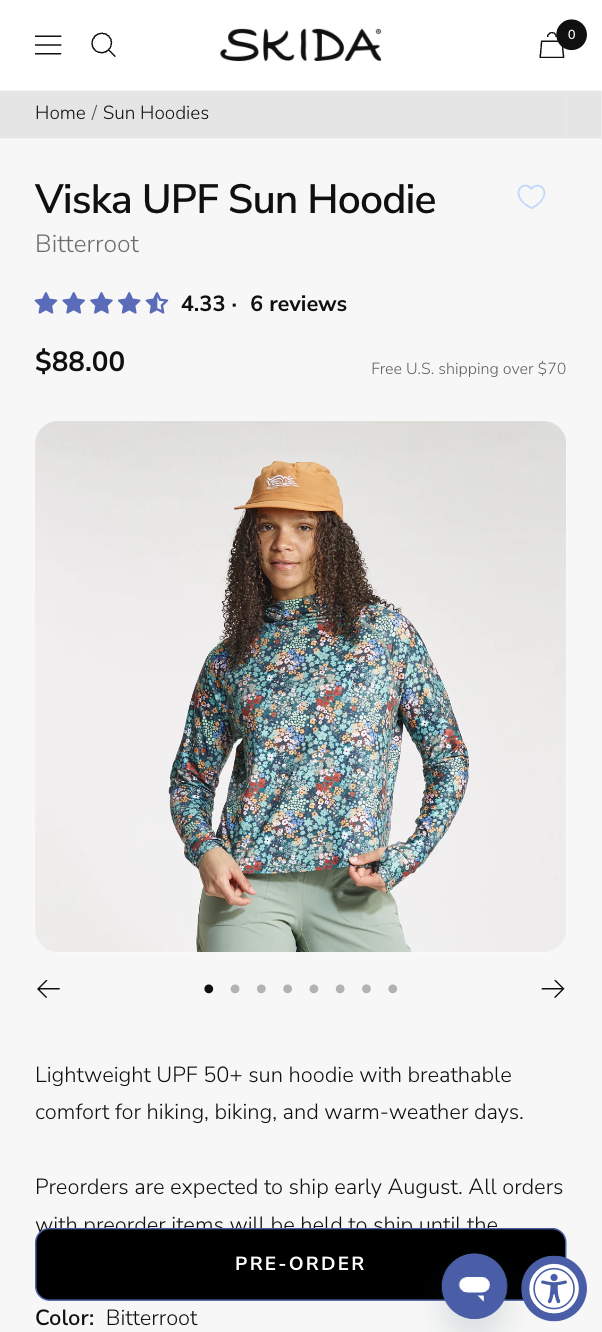
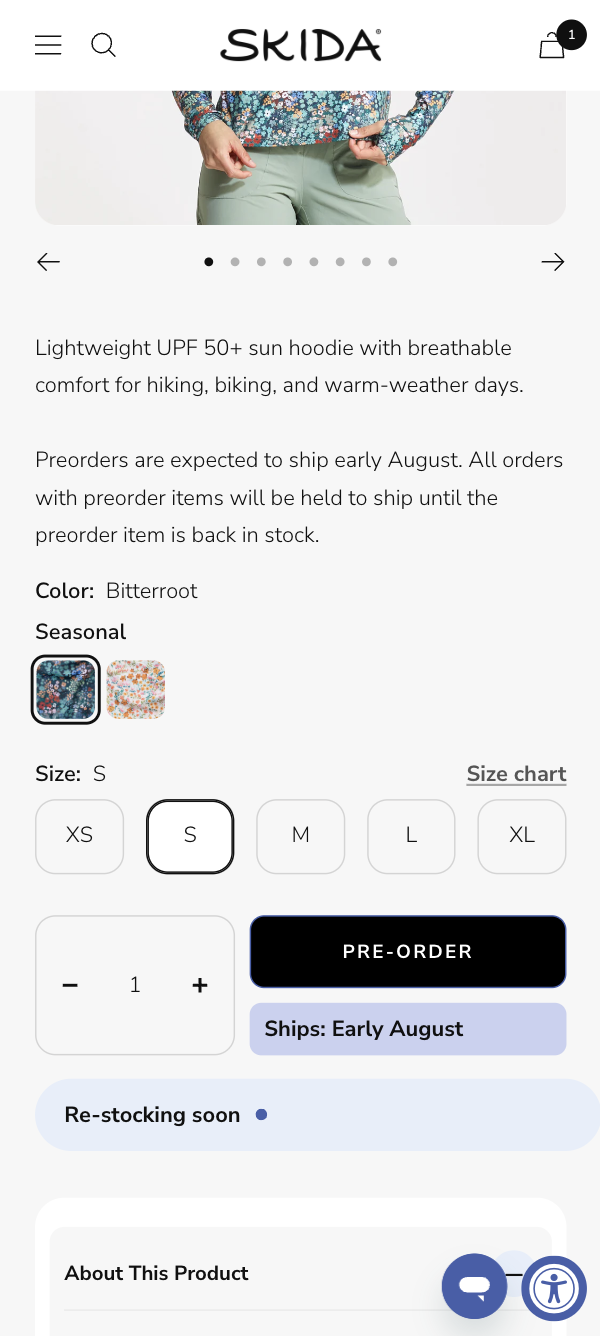
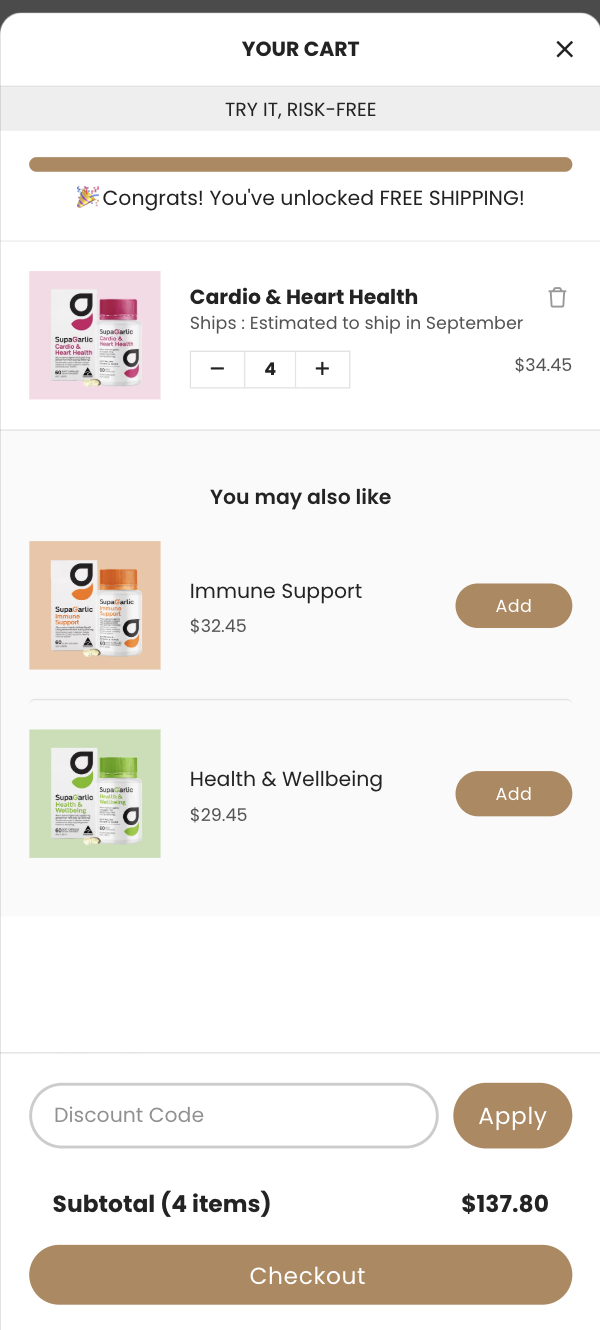
Set a ship date once. Customers see it before and after they buy.
One date per variant, on every screen from the product page to the parcel. Change it and Bloom tells the customers who are waiting.
01
In stock product
02
Inventory hits zero
03
Ship date at checkout
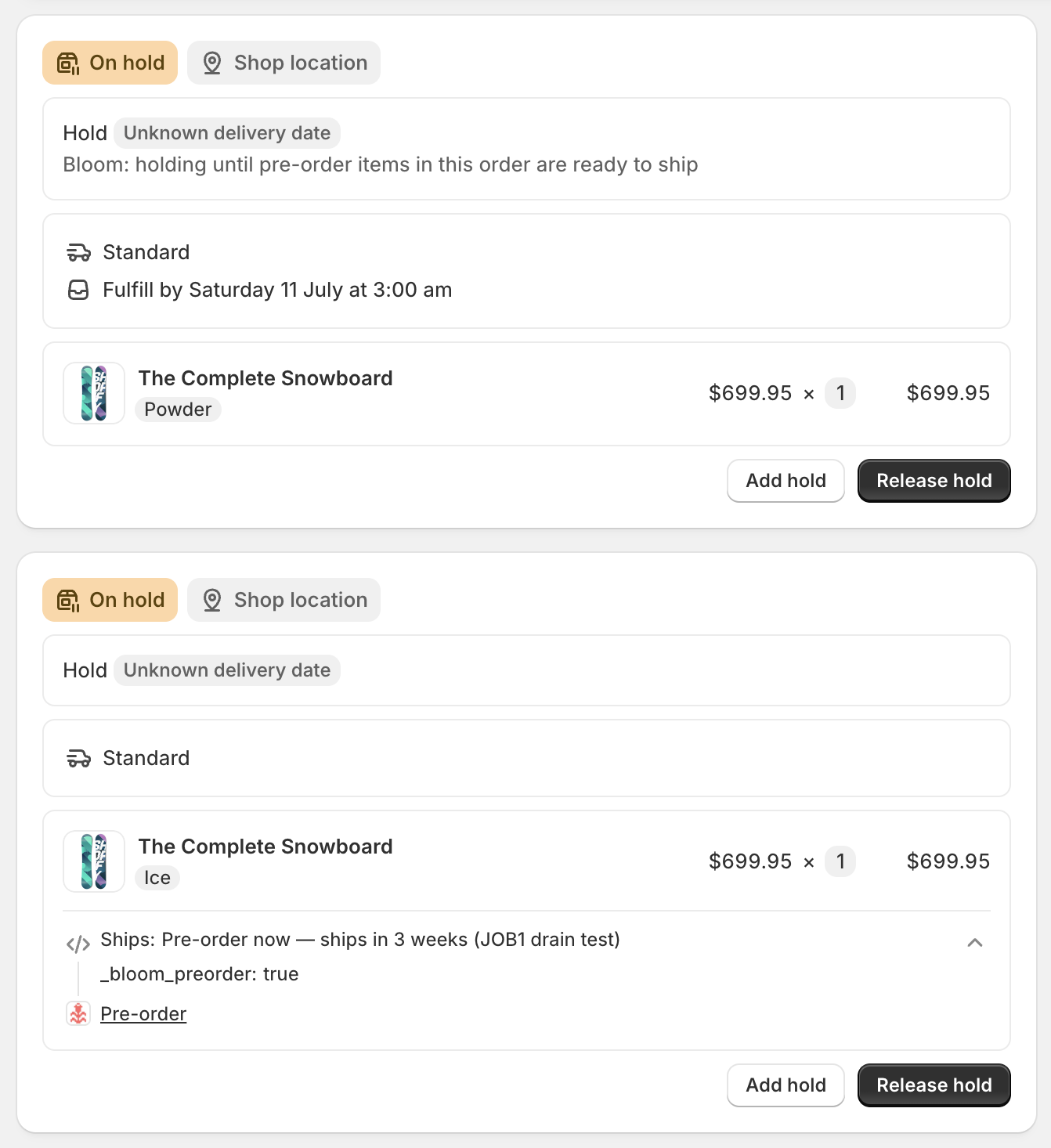
04
Order tagged and held
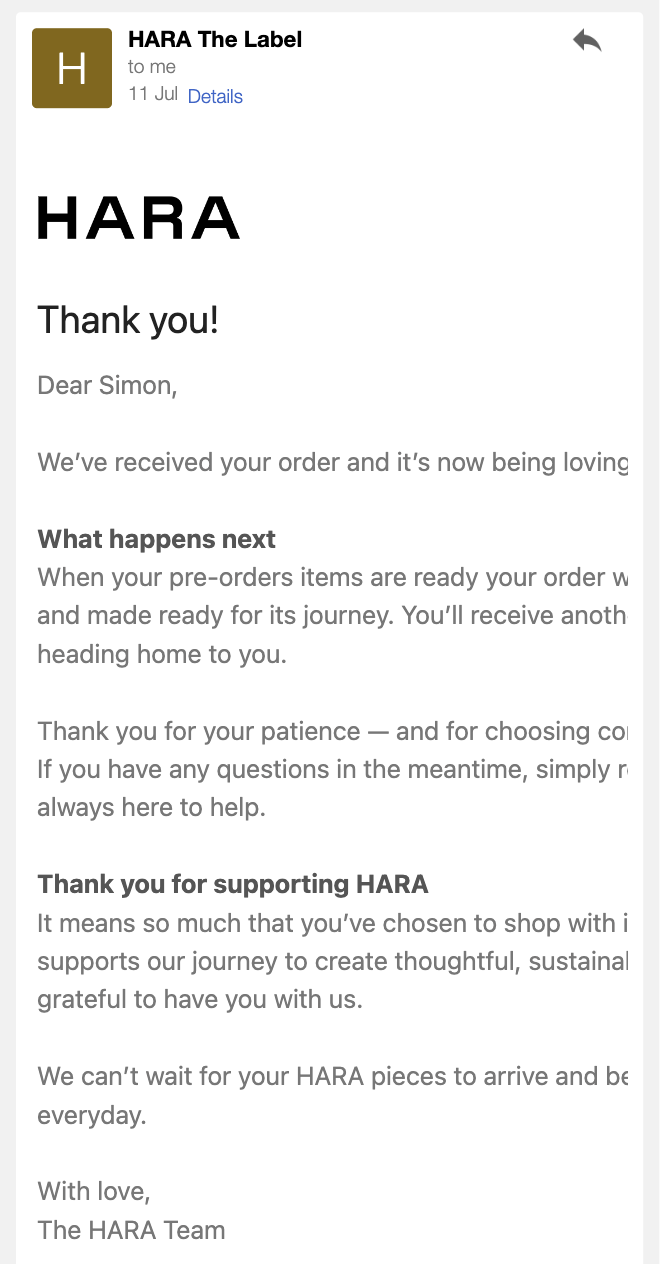
05
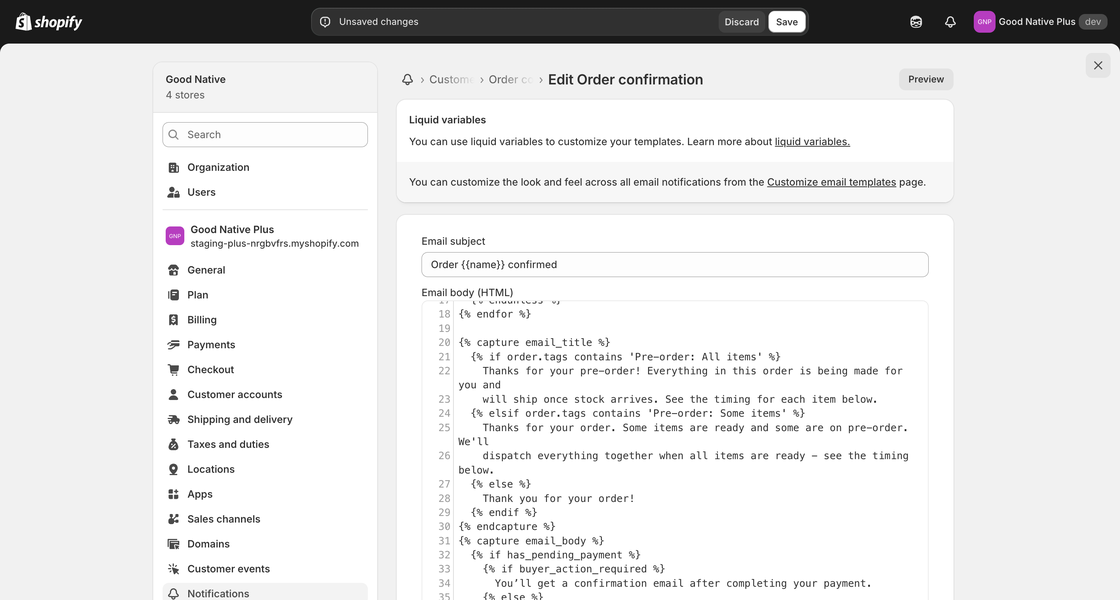
Clear confirmation email
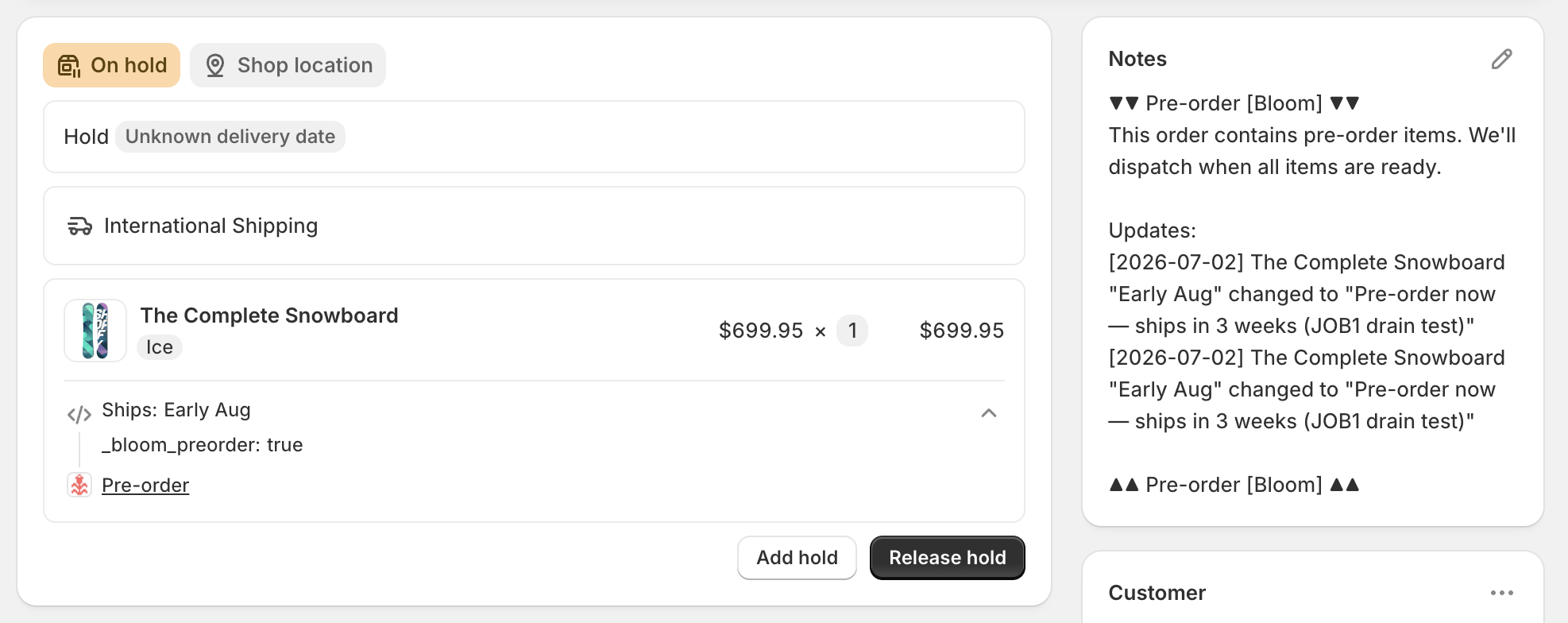
06
Delivery date changes
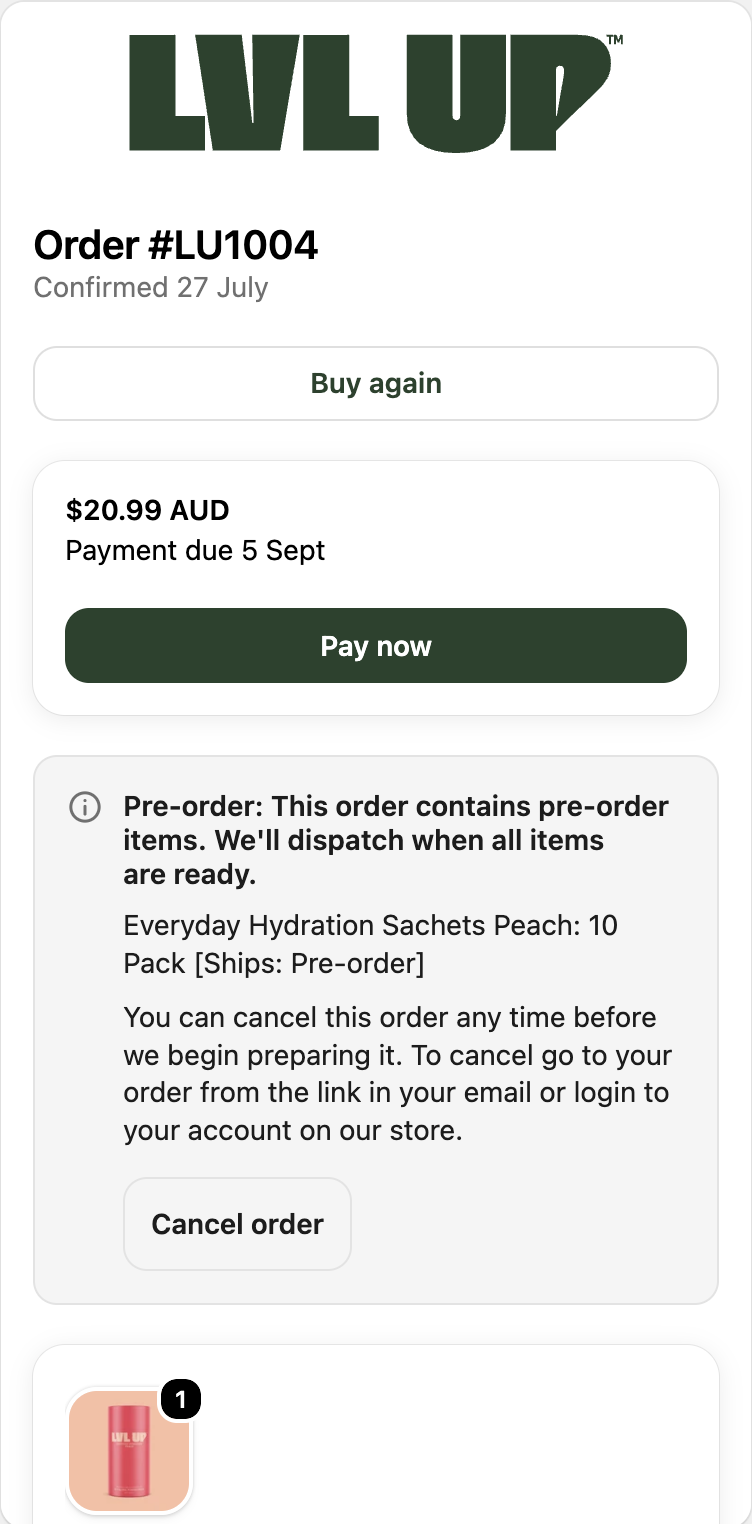
07
Order status updates
08
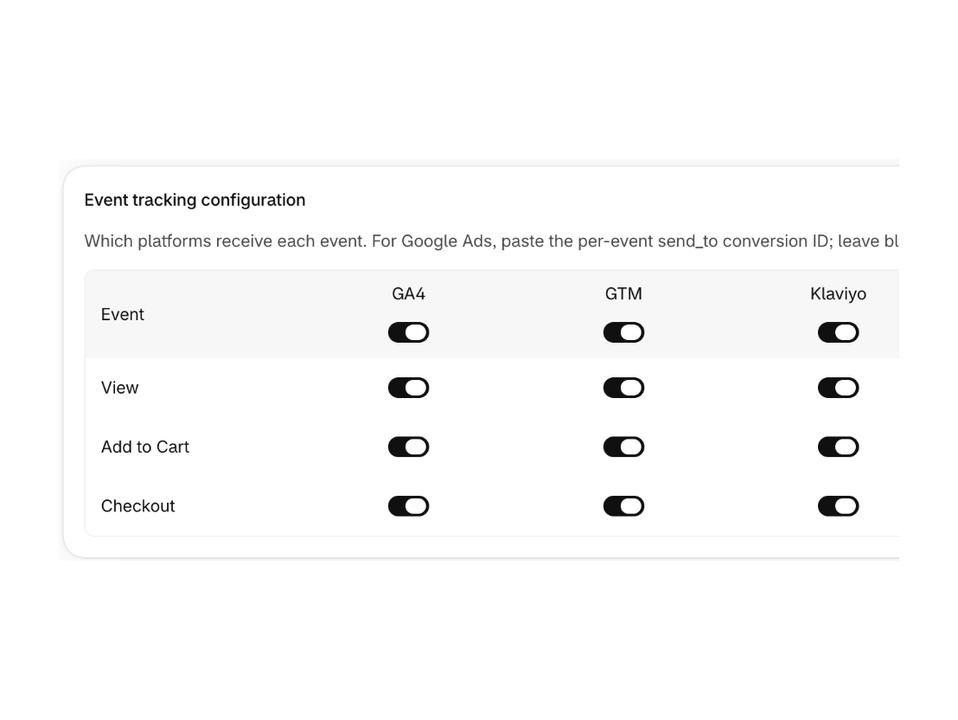
Klaviyo profile tagged
09
Automated email sends
10
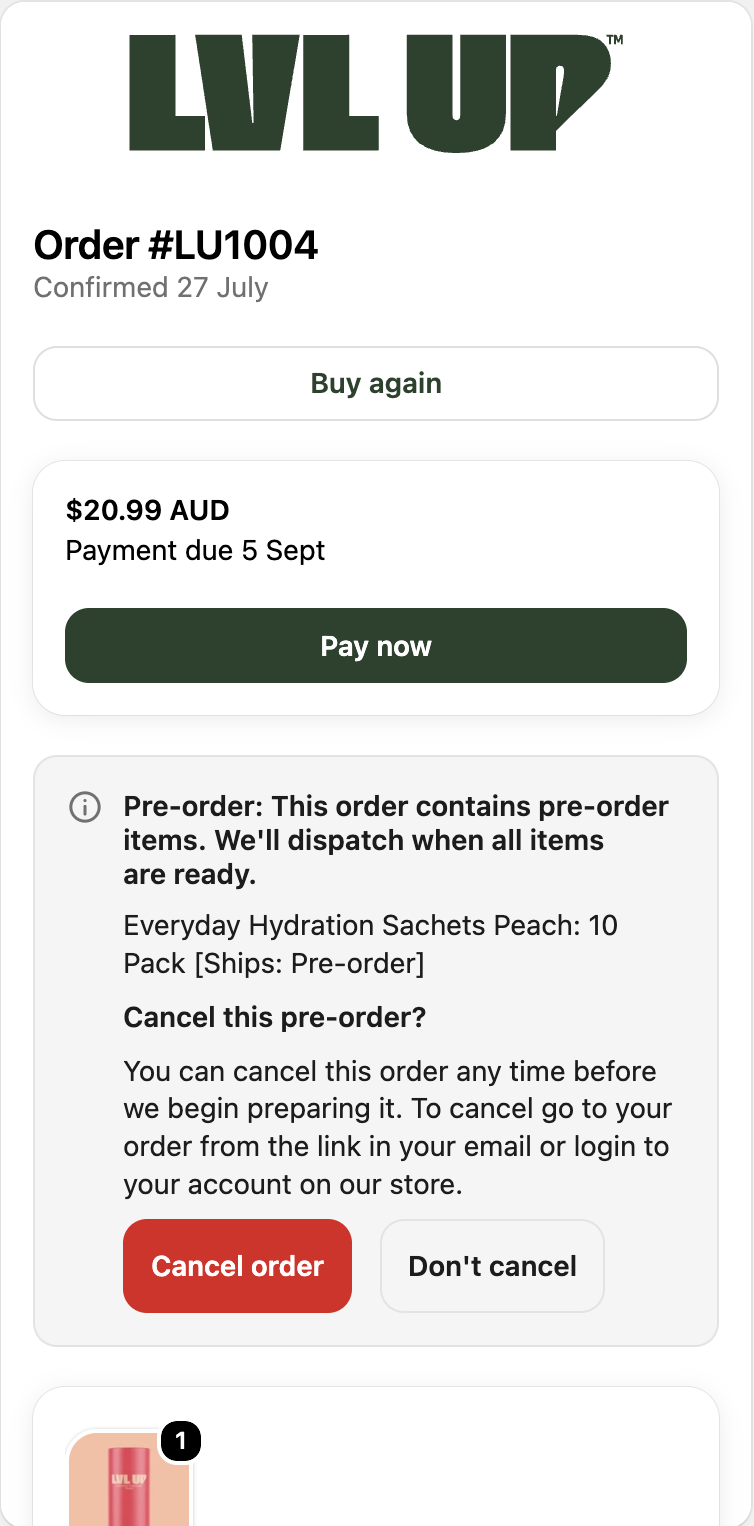
Customer cancels themselves
Stores already selling past zero.
A$37,329
513 pre-orders in 3 weeks.
HARAUS$11,528
131 units pre-ordered in 14 days.
SKIDA“Pre-orders nearly doubled sales last week. We couldn’t have done it without Bloom!”
Ecommerce lead, Skida
Why we built it
Pre-orders cause three problems.
We built Bloom Pre-order to fix all three from one place.
The problem
“When does my order ship?”
Fewer tickets
Customers see one ship date everywhere and hear when it changes. They can cancel themselves, so your inbox stays quiet.
The problem
Hours lost to stock and orders in different systems
Less admin
Rules per variant, bulk edits, and orders that hold and release themselves in Shopify. Set it once.
The problem
Sold out means lost sales
More revenue
Sold out becomes pre-order, capped at what you can actually ship. Then follow up shoppers who didn’t buy.
Set hundreds of variants once. Every screen follows.
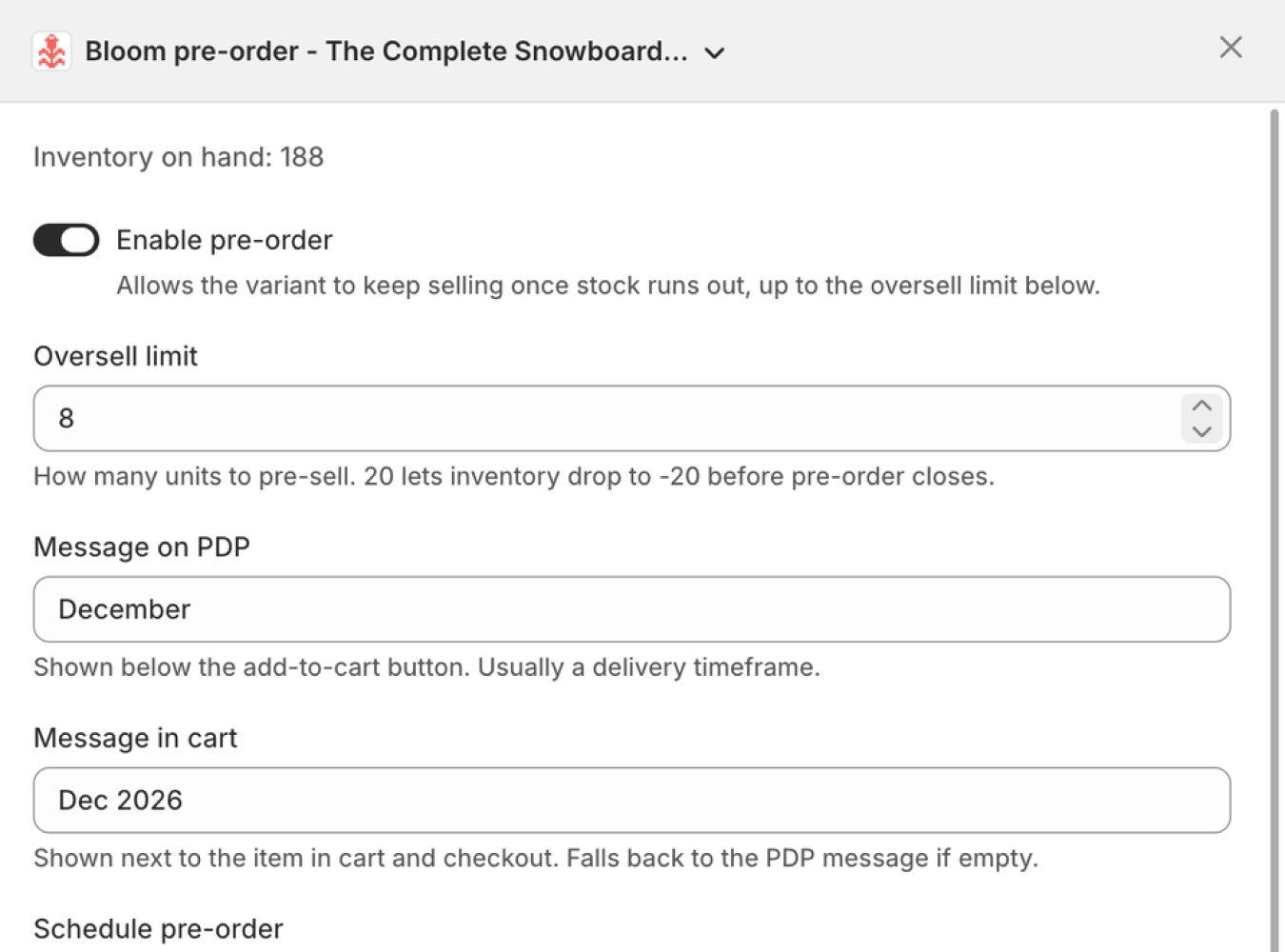
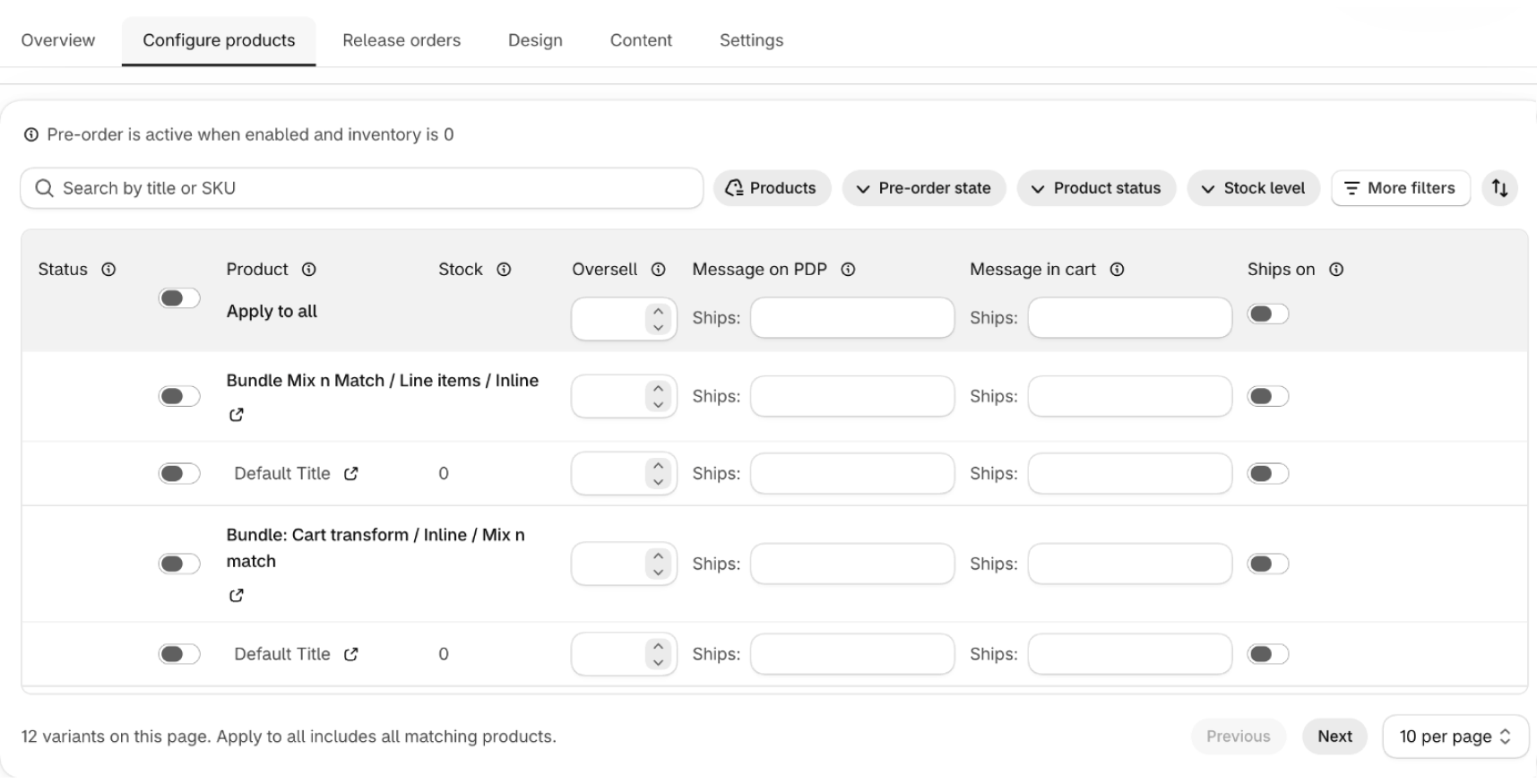
One table for every variant. Filter to what’s sold out, set the limit, message and ship date once, and it shows on the product page, cart, checkout and emails.
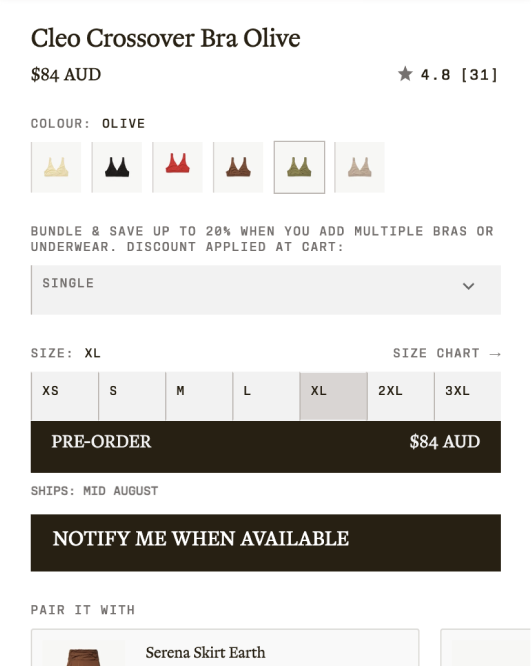
Product page
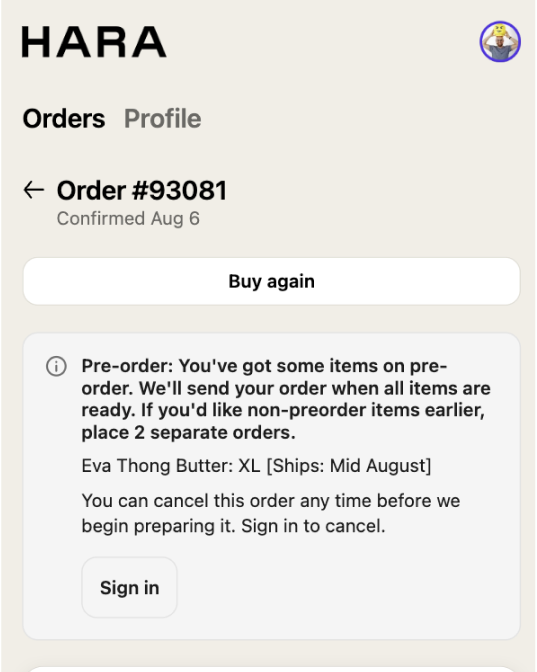
Cart & checkout
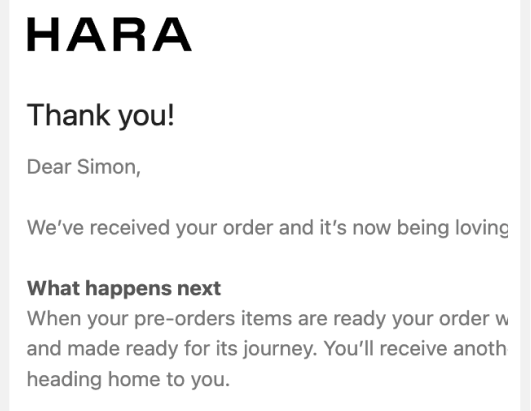
Order confirmation email
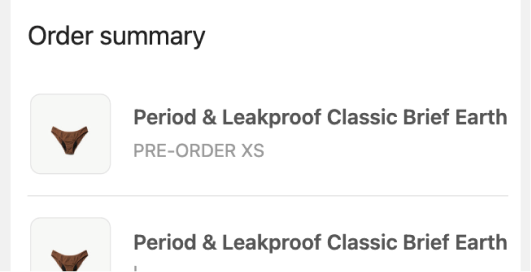
Order status page
Or skip the table
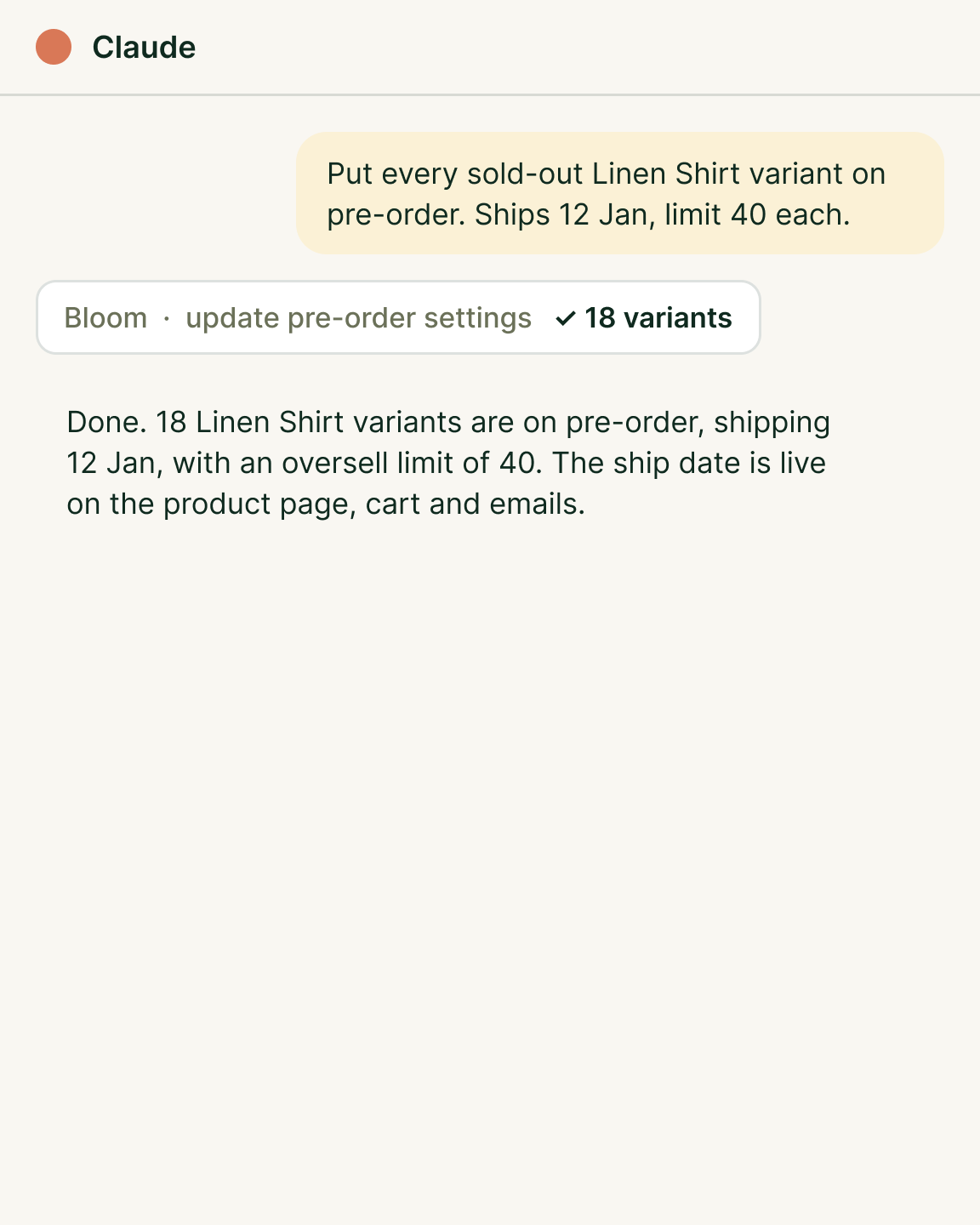
Ask Claude
Connect Bloom to Claude and change settings in plain English.
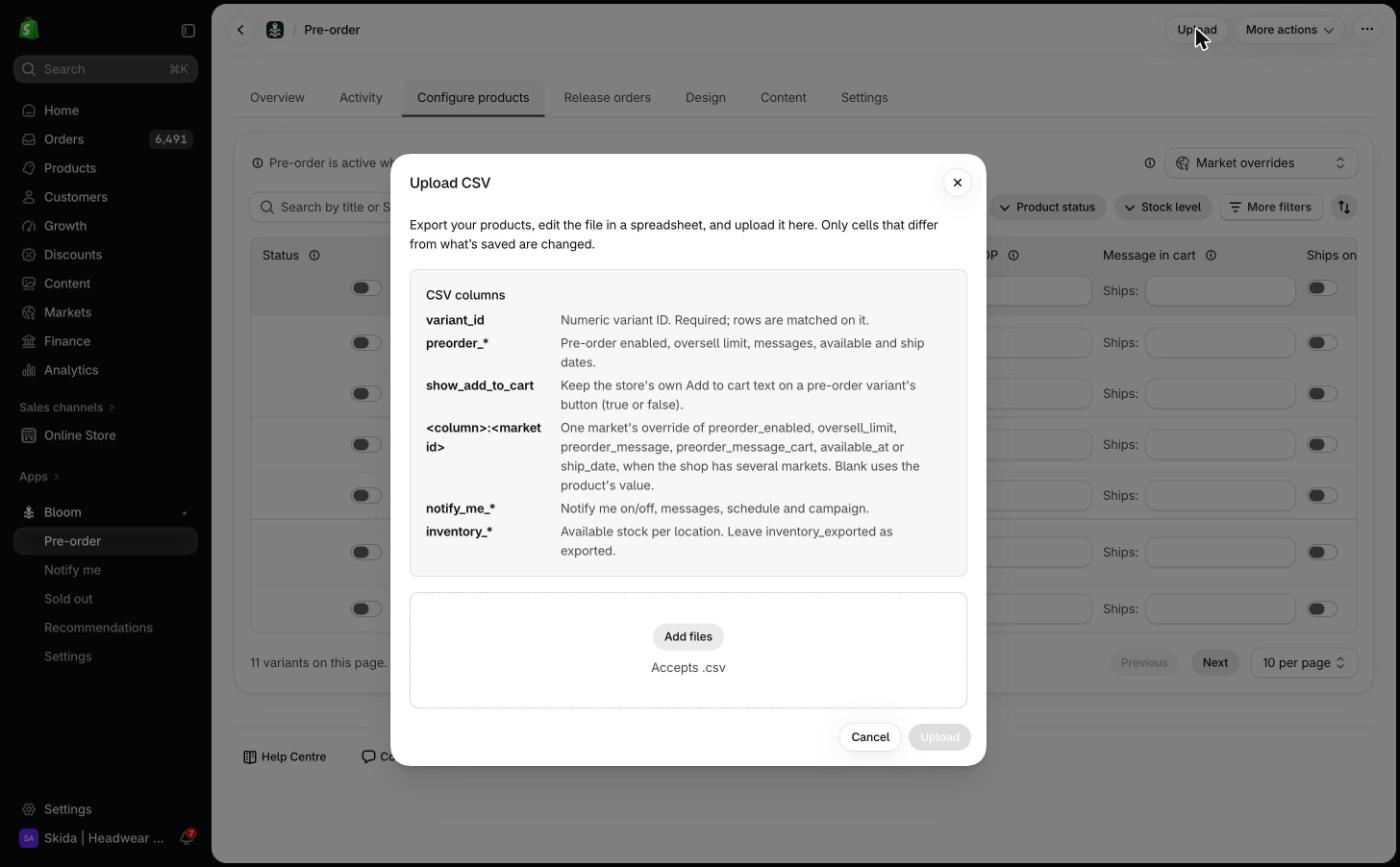
Import a CSV
Export, edit in a spreadsheet, and upload. Only the cells you changed are updated.
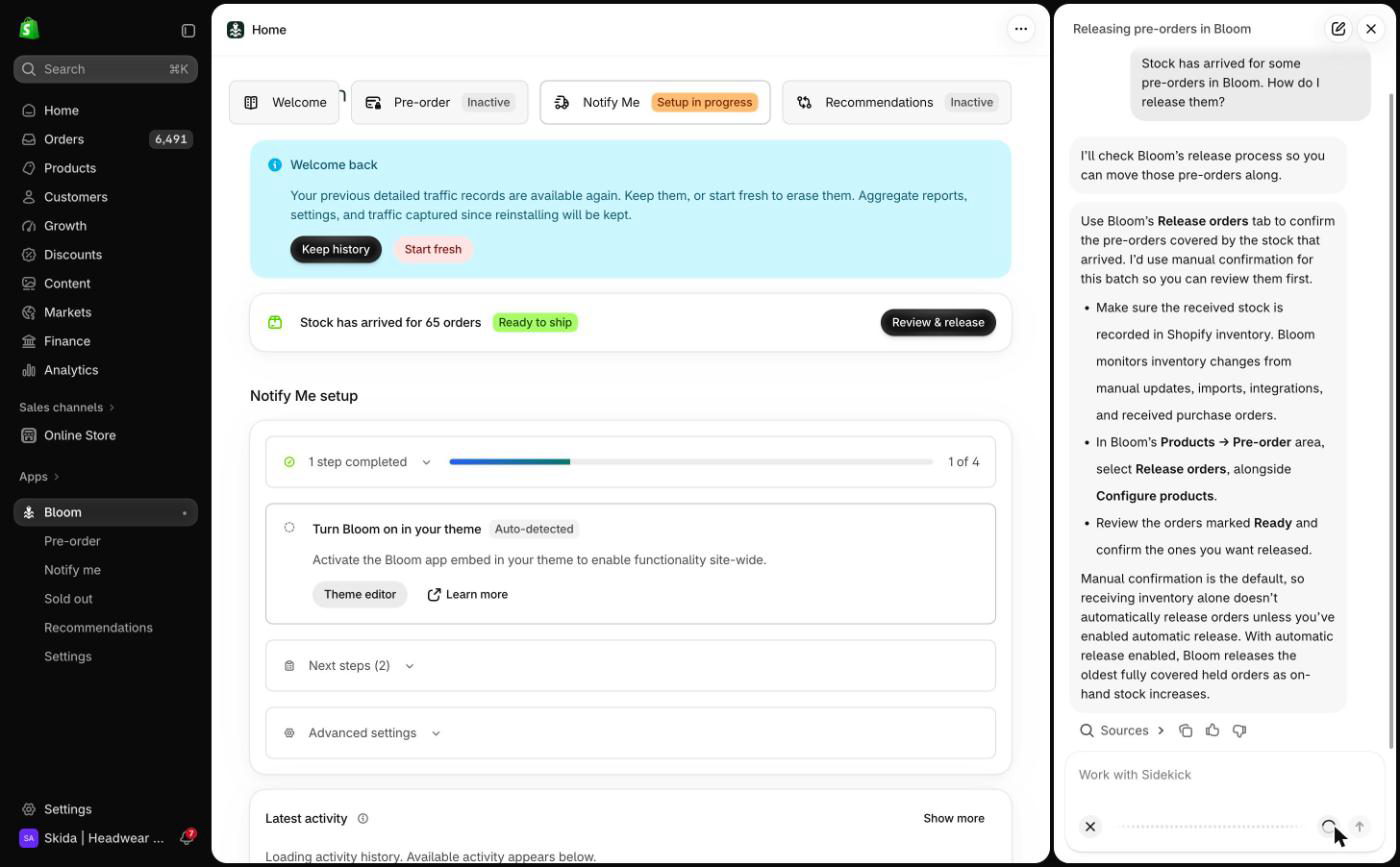
Ask Sidekick
Ask Shopify’s assistant how Bloom works, using your store’s own data.
- Filter by status, stock, vendor, tag, type or collection
- Every change logged in history, with who made it
- Or edit one product from its Shopify admin page
Built into Shopify and Klaviyo.
Every pre-order is a normal Shopify order, tagged and put on Shopify’s own fulfilment hold. Klaviyo gets the ship date for your flows.
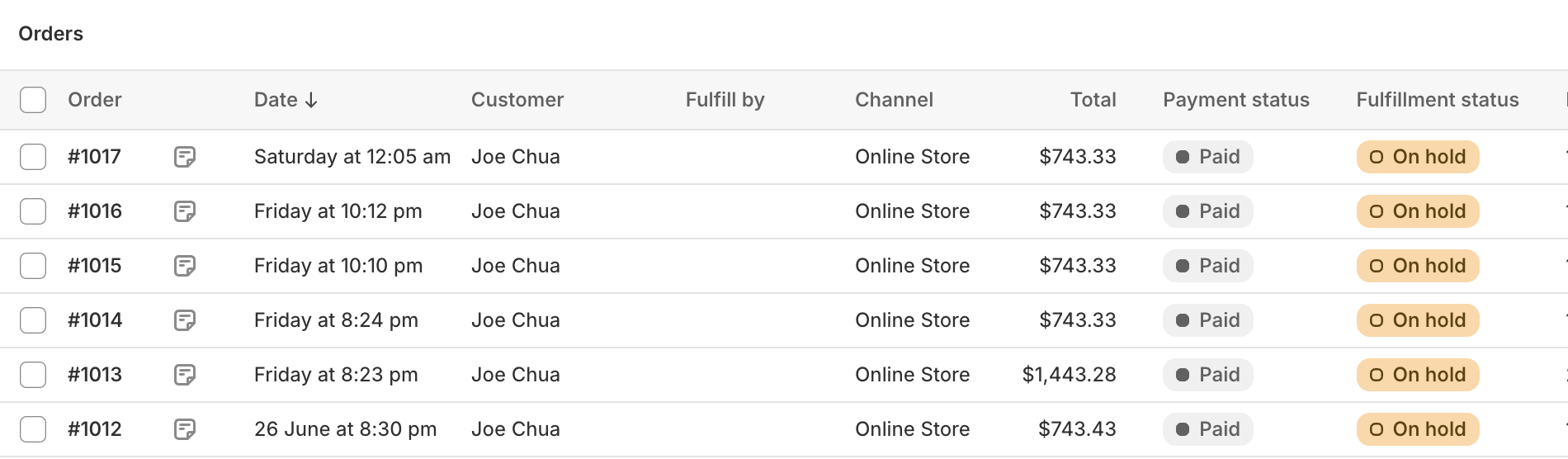
- Held orders drop out of Unfulfilled
- A Pre-order tag on every order and Klaviyo profile
- Ship date snippets for Shopify and Klaviyo emails
3PL, bundle & subscriptions. Happy days.
Deeply integrated to Shopify to ensure 3PLs are happy, bundles work optimally and subscriptions auto-pause and re-activate.
3PLs
Pre-orders are held in Shopify, so your 3PL never picks them early. Release them and they ship like any other order.


 + more
Bundles
Each bundle item shows its own pre-order status and date, so customers know what’s coming and when.


 + more
Subscriptions
Existing subscriptions with pre-order items are paused and unpaused automatically. Sell subs on pre-order!


 + more
Don’t see your stack? Tell us at support@goodnative.co
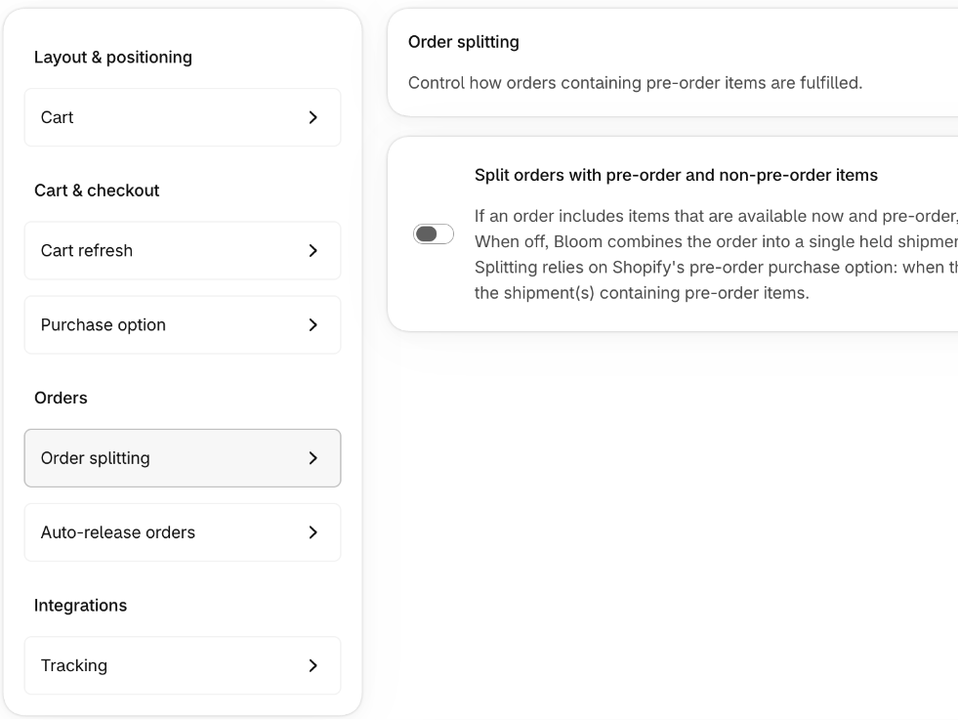
Mixed carts, your call.
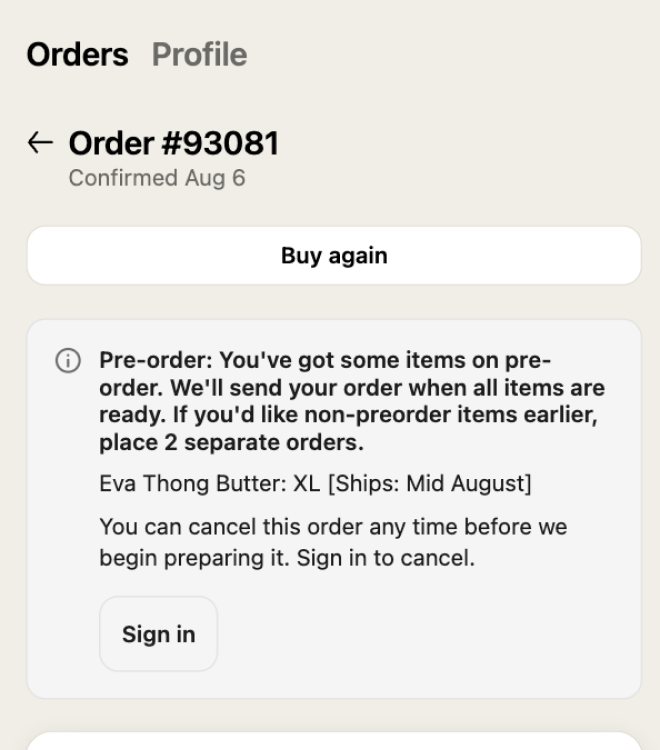
When a cart has in-stock and pre-order items, you choose whether it ships together or in two parts.
- Hold the whole order until everything is ready
- Or split it, using Shopify’s own split shipping
- Cart and order wording changes to match
Release when stock lands.
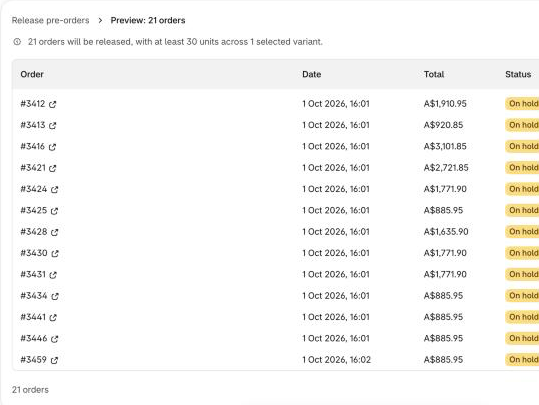
Add the units you received and the oldest orders release first.
- Preview which orders release before you commit
- Whole orders only. By default, just those your stock covers
- Every release is logged in history
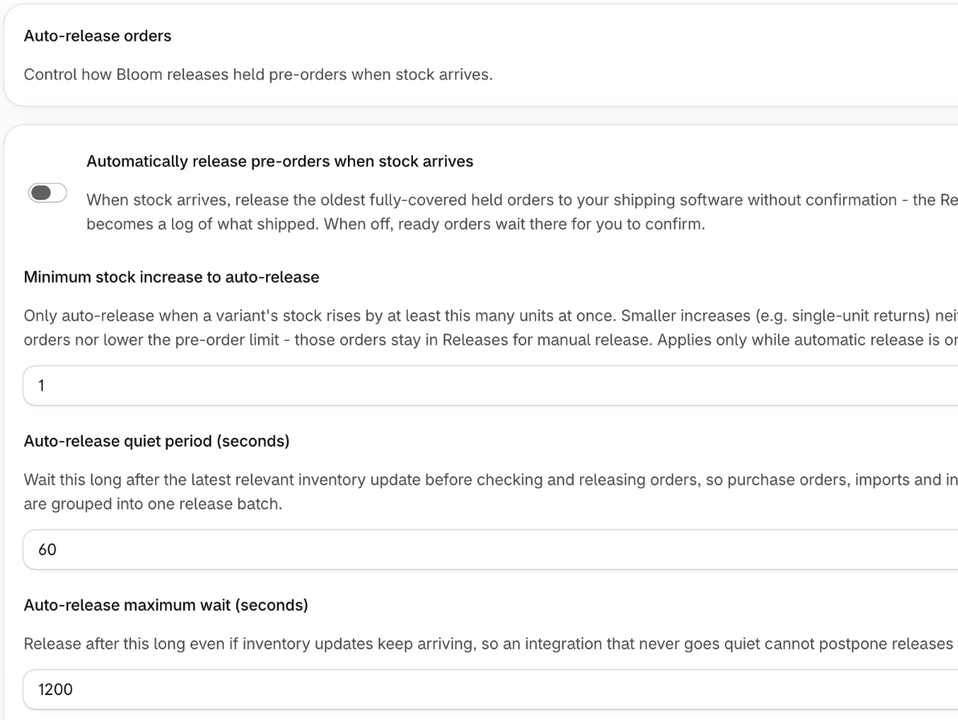
Or let it release itself.
Turn on auto-release and orders release as stock arrives in Shopify. Nothing to click.
- Set a minimum stock increase first
- Oldest orders release first
- Works with Shopify purchase orders and bulk inventory updates
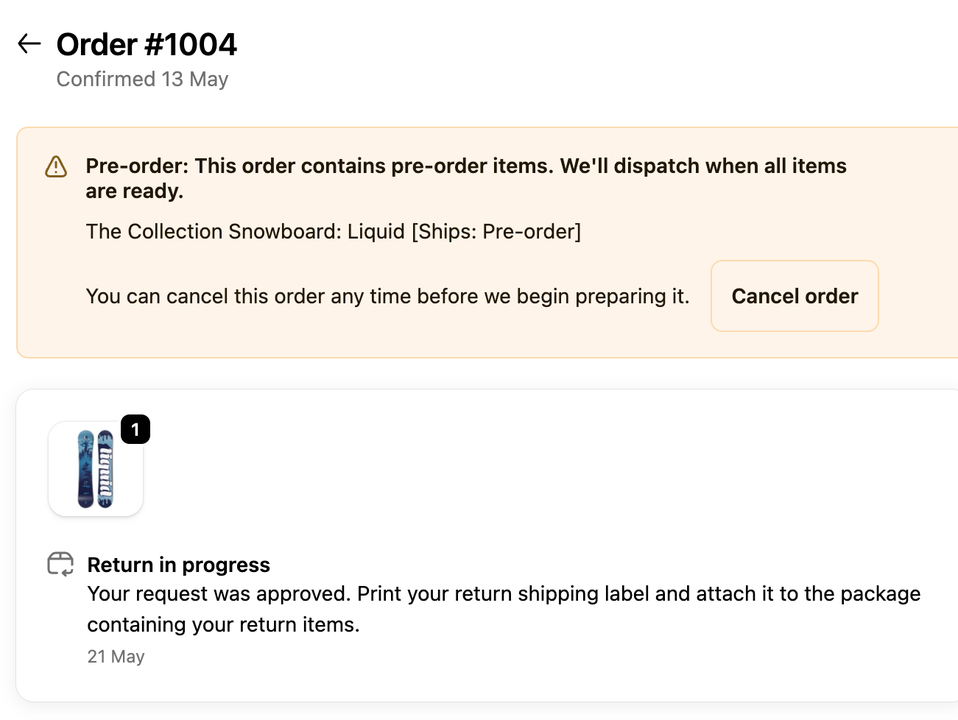
Customers cancel without emailing you.
A Cancel order button on their order page, refunded through Shopify.
- Available until you start preparing the order
- Button wording is yours to edit
The cancellation message at checkout needs Shopify Plus.
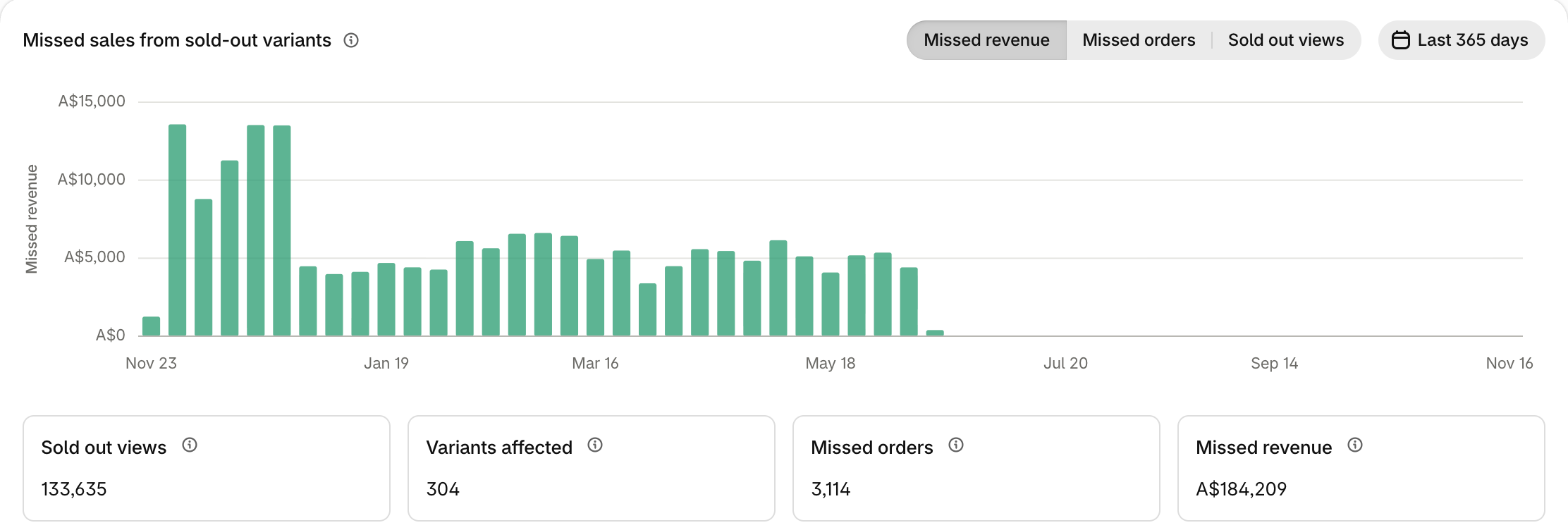
See what selling out costs you.
Sold-out analytics come with the free plan. See which variants sell out, how many shoppers still land on them, and what pre-orders win back.
- Views, add to carts, checkouts, orders and revenue, by variant
- Events to GA4, GTM, Meta, Google Ads and Klaviyo
- Change history shows who changed what, and when
“I love the oversell limit and how Bloom switches to pre-order as soon as inventory hits zero.”
Questions, answered.

How much does it cost?
US$29 a month on one plan that covers every Bloom product. No per-order fees. Free trial.
How long does setup take?
Turn on the app embed, pick your variants, set a limit and ship date.
Do I need a developer?
No. It uses your theme’s own Add to cart button. The live editor handles positions and wording.
Will it work on my store?
Shopify themes, Fast Bundle, headless and Webflow via StoreSynk. Unusual setup? Book a call.
Will it slow my store down?
No. Bloom is built to be the fastest pre-order app on Shopify. The site-wide script is 29 KB gzipped and loads with defer, so it adds 0 ms of render-blocking JavaScript. The product page code loads only on product pages, asynchronously, from Shopify's CDN. No theme code to edit.
What happens to my Shopify orders?
They are normal Shopify orders, paid in full, tagged and on fulfilment hold until you release them.
What do customers see?
The ship date on the product page, cart, checkout, thank-you page, order status page and order email.
What if my stock is delayed?
Change the date in Bloom. Open orders update and Klaviyo can email the old and new date.
Can customers cancel?
Yes, from their order page, until you start preparing the order. Refunds go through Shopify.
Does it work in my country or currency?
It works with Shopify Markets. Limits, dates and wording can differ per market.
Still not sure how Bloom fits your store?
Start a free trial, or book a demo and we'll set up your first pre-order with you. US$29 a month covers every Bloom product.